Skip to Main Content
Sam's Club
Sam's Club
Customer reviews for SAMSUNG Q-series 5.1 Channel Sound Bar with Wireless Subwoofer, Q-Symphony & Dolby ATMOS Audio for
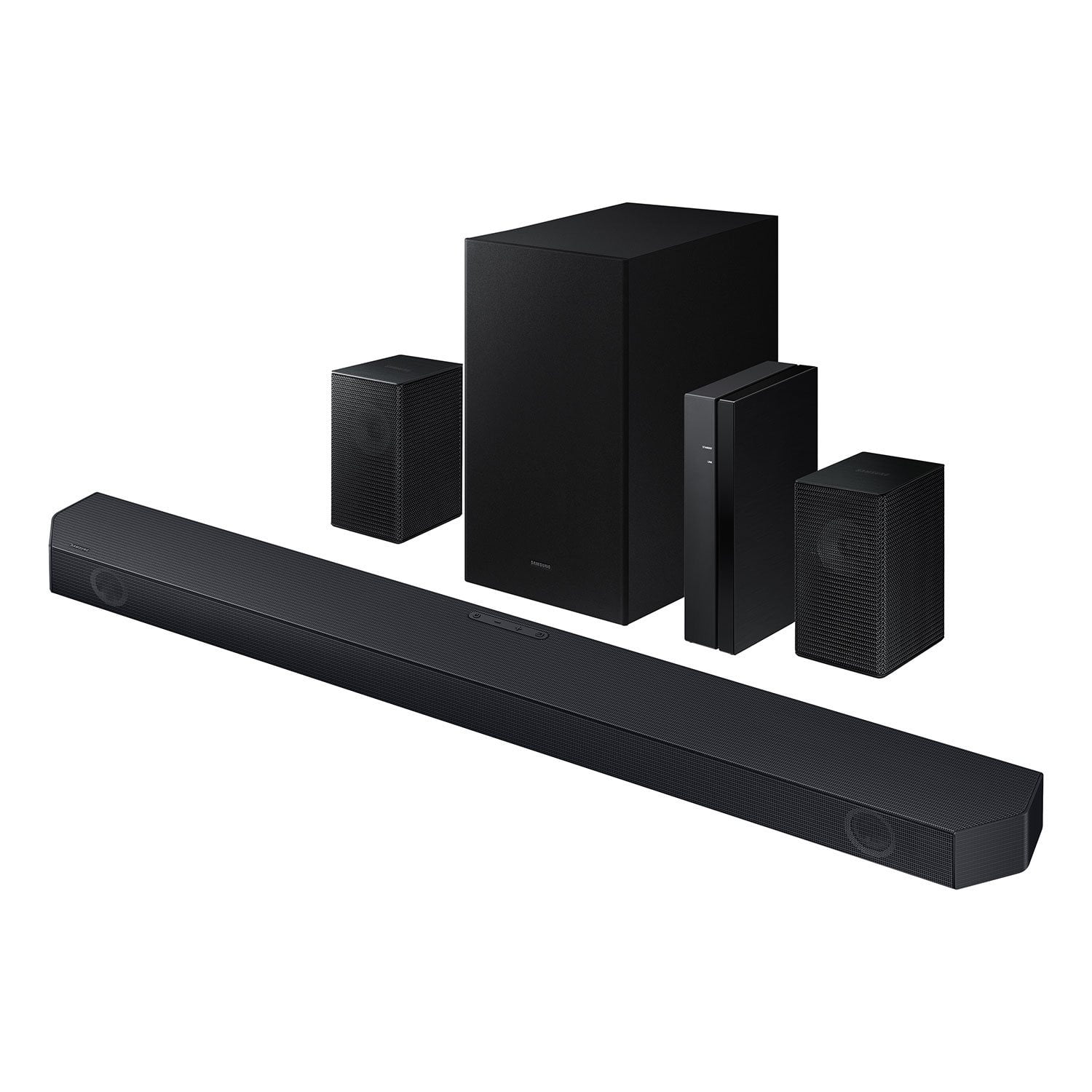
SAMSUNG Q-series 5.1 Channel Sound Bar with Wireless Subwoofer, Q-Symphony & Dolby ATMOS Audio
4.5 out of 5 stars
stars
499 ratings380 reviews
  1. 5 stars75% (374)
  2. 4 stars14% (72)
  3. 3 stars5% (24)
  4. 2 stars1% (6)
  5. 1 star5% (23)

Member photos

  • +48 images
Sort by |
Showing 321-330 of 380 reviews
Apr 3, 2025
Reviewer name: Liza93
5 out of 5 stars
5 out of 5 stars review

First soundbar ever owned!

[This review was collected as part of a promotion.] This is my first soundbar I've ever owned. I enjoy family movie nights with it. What I love about it most is how immersed you feel from its sound. The sound quality is phenomenonal!!! Thanks!!

Review from Samsung US
Helpful?3195MT0SA8FL13599821582
Sep 24, 2024
Reviewer name: Don2cruise1
5 out of 5 stars
5 out of 5 stars review

Sound quality, surround sound, and base are great!

I bought the sound bar three months ago and have been very happy with it. It works as one with the TV, and the sound quality, surround sound, and base are great!

Helpful?3195MT0SA8FL13599821582
Jul 23, 2025
Reviewer name: jpc22a
1 out of 5 stars
1 out of 5 stars review

Terrible connecting to Samsung UN55H7150AFXZA

[This review was collected as part of a promotion.] Keeps forgetting how to use eARC with Samsung TV. Not good when your sound and tv do not communicate very well.

Review from Samsung US
Helpful?3195MT0SA8FL13599821582
reply from Samsung Solutions

Hi jpc22a, We appreciate your feedback regarding the issues you are experiencing with your HW-Q65C. Please give us the opportunity to assist you by contacting Samsung Customer Support. Please give us the opportunity to assist you by contacting Samsung Customer Support. Call us at at 1-800-SAMSUNG (Ask for Soundbars), 8 AM – 12 AM EST, 7 days a week. Our Live Chat agents are also available by clicking on the ‘Support’ link on our website. ~ Samsung Solutions

Dec 11, 2024
Reviewer name: Dean
2 out of 5 stars
2 out of 5 stars review

Not worth it

I bought a bunch of different speakers for the holidays and returned all because I was dissatisfied with all of them (except the sonos series) when it came to this one, you might be enticed because it's a whole sound system, but to be honest, it takes the whole sound system just to compete with some solo sound bars today. the rear speakers you can't even hear for any scene unless you are inches directly behind it. the subwoofer? barely brings any bass to the table, and to top it off there are sooo many wires to maintain. you are better off spending a little more for the sonos beam (when on sale) it has more bass more power and the sonos app is very user friendly and immersive compared to samsung. Now i don't have a samsung smart TV so maybe thay helps with the q-symphony, but it still wouldn't compete with the sonos beam.

Helpful?3195MT0SA8FL13599821582
reply from Samsung

Hi Dean,Thank you for taking a moment to review the Samsung HW-Q65C Soundbar.You can manually optimize your audio experience by pressing the SOUND MODE button to select the desired pre-equalized sound setting. The choices are SURROUND SOUND – GAME – ADAPTIVE SOUND – DTS VIRTUAL:X – STANDARD.To control the volume of the treble or bass press the TONE CONTROL button, and then adjust the volume between -6 to +6 by using the Up/Down buttons on your soundbar remote. Press and hold the SOUND CONTROL button for about 5 seconds to adjust the sound for each frequency band. 150Hz, 300Hz, 600Hz, 1.2kHz, 2.5kHz, 5kHz, and 10kHz are selectable using the Left/Right buttons and each can be adjusted to a setting between -6 to +6 using the Up/Down buttons. (Make sure the Sound mode is set to “STANDARD”.) Press the CH LEVEL button so you can adjust the volume of each speaker. CENTER LEVEL can be adjusted using the UP/DOWN buttons from -6 to +6.With the Wireless Rear Speaker Kit connected you can adjust the volume by using the provided Soundbar remote. Press CH LEVEL and select REAR LEVEL, then use the Up/Down buttons to adjust the volume within a -6 to +6 range. If you would like louder (or softer) bass from your subwoofer, you can adjust the level by rocking the WOOFER button on the soundbar remote, and then adjusting the level from -6 to +6. To set the subwoofer volume level to 0, press the button in.If you need more help, Samsung is here for you. Please call us at 1-800-SAMSUNG, 8AM - 12AM EST (Ask for Soundbars), 7 days a week. Our Live Chat agents are also available by clicking on the ‘Support’ link on our website.~ Samsung Solutions

Nov 23, 2024
Reviewer name: Dell for now
1 out of 5 stars
1 out of 5 stars review

HDMI ARC incompatibility

Just set it up and it is already not compatible with Toshiba Fire TV HDMI ARC. Tried 13 different settings configurations, as instructed by the TV equipment setup process, and none of them work right. It's working with Optical but not the same. No wonder so many others are posting that they cannot get it working with HDMI. I have had over half a dozen soundbars connected to this Toshiba TV so I know its not the TV. Not a fan of Sony or Samsung. Going to the return line refund next week.

Helpful?3195MT0SA8FL13599821582
reply from Samsung

Hi Dell for now, Thank you for taking a moment to write a review for the Samsung HW-Q65C Soundbar. Your device is unable to play the input signal. Change the TV’s audio output to PCM or Dolby Digital. (For a Samsung TV: Home → Settings → Sound → Expert Settings → Digital Output Audio Format). If your device is connected, but you are not hearing any sound, first make sure that the Mute function is off, and that the volume is not set to minimum. You will also want to verify that your TV is set to use external speakers & that your soundbar is set to the correct source. For further assistance, please contact Samsung Customer Support. Please call us at 1-800-SAMSUNG, 8AM - 12AM EST (Ask for Soundbars), 7 days a week. Our Live Chat agents are also available by clicking on the ‘Support’ link on our website. ~ Samsung Solutions

Apr 6, 2025
Reviewer name: Big Timmy
1 out of 5 stars
1 out of 5 stars review

Don't waist your money!

Don't waist your money or time on Samsung! Samsung is a rip off company. There is absolutely no customer service and if you do get through you can't understand them and they don't care, at all! I absolutely hate my 5.1 surround sound, if you want to call it that. They ripped me off and won't give me my money back!

Helpful?3195MT0SA8FL13599821582
reply from Samsung

Hi Big Timmy,We appreciate you taking a few moments to review the Samsung HW-Q65C Soundbar.You can adjust the Treble and Bass by pressing the TONE CONTROL button then use the UP/DOWN buttons to change the levels between -6 to +6.By pressing the CH LEVEL button, you can adjust the volume of the available channels. Each time you press the CH LEVEL button it will switch to a different channel such as Center, Front Top, or Rear Level. After selecting the channel you wish to adjust, use the UP/DOWN buttons on the provided Soundbar remote to adjust the volume between -6 to +6. If you would like louder (or softer) bass from your subwoofer, you can adjust the level by rocking the WOOFER button on the soundbar remote, and then adjusting the level from -6 to +6. To set the subwoofer volume level to 0, press the button in.With the sound mode set to Standard, press and hold the Sound Control button for about 5 seconds to adjust the sound for each frequency band for precise audio adjustments. 150Hz, 300Hz, 600Hz, 1.2kHz, 2.5kHz, 5kHz, and 10kHz are selectable using the Left/Right buttons and each can be adjusted to a setting between -6 to +6 using the Up/Down buttons.I hope this tip helps improve your enjoyment. For more help, please call us at 1-800-SAMSUNG (Ask for Soundbars), 8 AM – 12 AM EST, 7 days a week. Live Chat with an agent as well as manuals, software, and warranty info can be found at the ‘Support’ link on our Samsung website.~ Samsung Solutions

Jul 18, 2025
Reviewer name: Banginstation
4 out of 5 stars
4 out of 5 stars review

Overall it's loud and bangs

[This review was collected as part of a promotion.] Music therapy to drown out the worldand all the issues I have

Review from Samsung US
Helpful?3195MT0SA8FL13599821582
Jul 7, 2025
Reviewer name: Marlon
5 out of 5 stars
5 out of 5 stars review

Great sound quality

[This review was collected as part of a promotion.] It is great. Great quality, easy to use. Excellent sound quality

Review from Samsung US
Helpful?3195MT0SA8FL13599821582
Sep 14, 2024
Reviewer name: Ram678
4 out of 5 stars
4 out of 5 stars review

Good sound bar

[This review was collected as part of a promotion.] It works well for our apartment. It enough for us. Connect to Tv works fine

Review from Samsung US
Helpful?3195MT0SA8FL13599821582
Dec 6, 2024
Reviewer name: Camagg
5 out of 5 stars
5 out of 5 stars review

This product has absolutely amazing sound

[This review was collected as part of a promotion.] We stream music watch movies and great for sports. Great all around

Review from Samsung US
Helpful?3195MT0SA8FL13599821582