Skip to Main Content
Sam's Club
Sam's Club
Customer reviews for SAMSUNG Q-series 5.1 Channel Sound Bar with Wireless Subwoofer, Q-Symphony & Dolby ATMOS Audio for
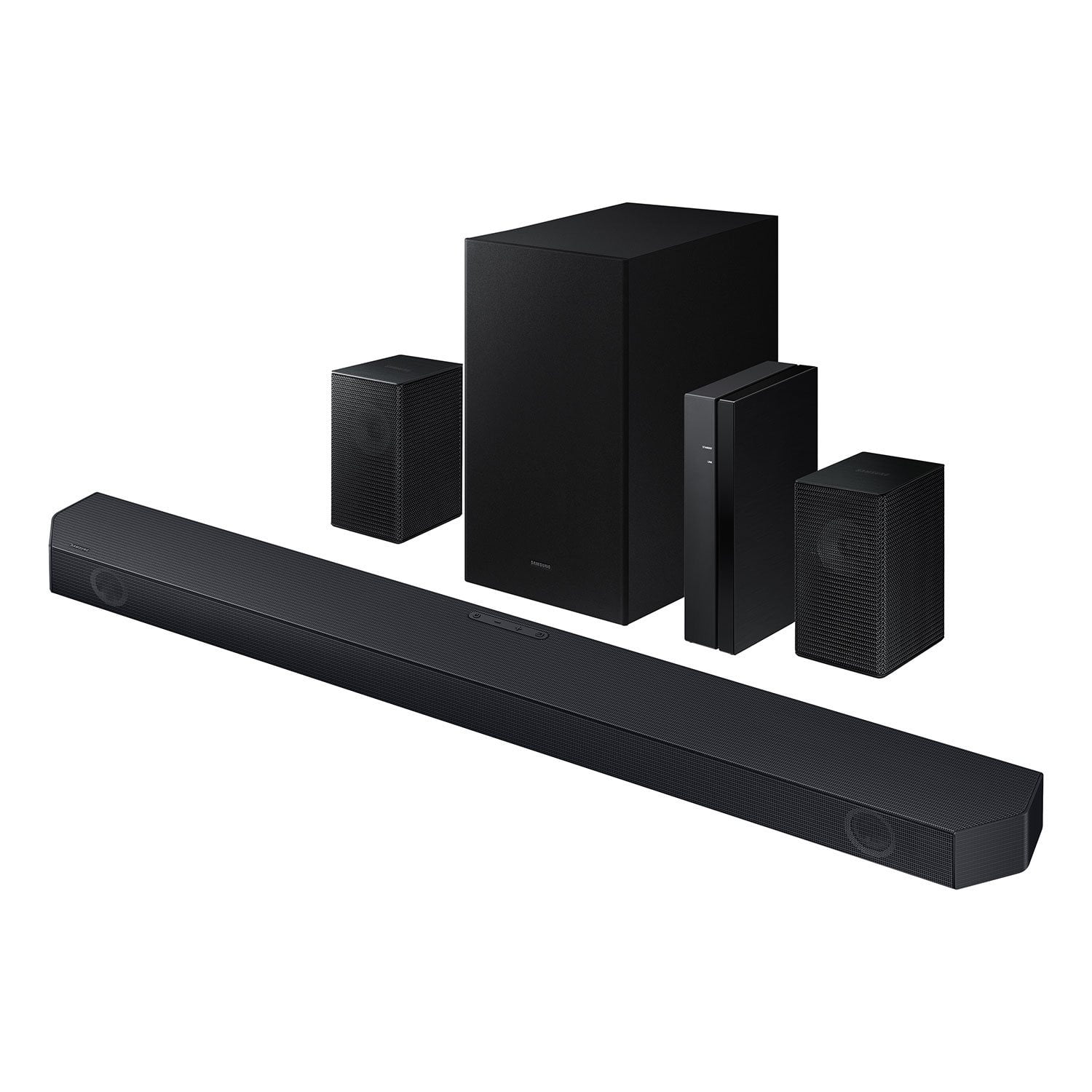
SAMSUNG Q-series 5.1 Channel Sound Bar with Wireless Subwoofer, Q-Symphony & Dolby ATMOS Audio
4.5 out of 5 stars
stars
500 ratings381 reviews
  1. 5 stars75% (374)
  2. 4 stars15% (73)
  3. 3 stars5% (24)
  4. 2 stars1% (6)
  5. 1 star5% (23)

Member photos

  • +49 images
Sort by |
Showing 281-290 of 381 reviews
Nov 18, 2024
Reviewer name: Richsch
5 out of 5 stars
5 out of 5 stars review

Extremely clear aound

[This review was collected as part of a promotion.] It is very impressive how well these work. I was blown away by the overall sound and texture when playing a movie.

Review from Samsung US
Helpful?3195MT0SA8FL13599821582
Aug 26, 2025
Reviewer name: Countrygal
5 out of 5 stars
5 out of 5 stars review

Love samsung products

[This review was collected as part of a promotion.] Let me tell you movie night at my place is the best. I recommend for sure only samsung products is the only way.

Review from Samsung US
Helpful?3195MT0SA8FL13599821582
Jul 8, 2025
Reviewer name: Sandylgh
5 out of 5 stars
5 out of 5 stars review

Bass is amazing!

[This review was collected as part of a promotion.] I got this soundbar set to complement my samsung 4k tv, and it doesn't disappoint. Does everything as advertised and puts out amazing surround sound :)

Review from Samsung US
Helpful?3195MT0SA8FL13599821582
Apr 19, 2025
Reviewer name: 2awesome
5 out of 5 stars
5 out of 5 stars review

It’s easy to set up

[This review was collected as part of a promotion.] It produces a symphony like environment with movies and fast car racing games. Love it and everyone is drawn to it.

Review from Samsung US
Helpful?3195MT0SA8FL13599821582
Mar 30, 2025
Reviewer name: Trap23
5 out of 5 stars
5 out of 5 stars review

Crisp clear with boom.

[This review was collected as part of a promotion.] Crisp audio during dialog. Bass has a nice thump. Visually pleasing in its design. Have mine set up with hdmi arc.

Review from Samsung US
Helpful?3195MT0SA8FL13599821582
Apr 14, 2025
Reviewer name: Danny
5 out of 5 stars
5 out of 5 stars review

Not too shabby...

I was actually very impressed with the quality at this price point. Set up was easy and the sound is nice and crisp. I tested it watching Devil May Cry and it did change my show experience. Would definetly recommend.

Helpful?3195MT0SA8FL13599821582
Apr 23, 2025
Reviewer name: Marcus53002
5 out of 5 stars
5 out of 5 stars review

Great features and realistic sound !

[This review was collected as part of a promotion.] I use my samsung sound bar for movies and music and is the best sound bar I've owned. Beautiful crisp clear sound.

Review from Samsung US
Helpful?3195MT0SA8FL13599821582
Sep 12, 2024
Reviewer name: Tiberias03
5 out of 5 stars
5 out of 5 stars review

Excellent soundbar

[This review was collected as part of a promotion.] I use my soundbar for streaming and gaming and the sound is amazing. I highly recommend if you have a compatable samsung tv

Review from Samsung US
Helpful?3195MT0SA8FL13599821582
Apr 11, 2025
Reviewer name: Jaysoto1202
1 out of 5 stars
1 out of 5 stars review

Product doesnt work

I bought this product everything connected but the 2 extra surround sound speakers they will not turn on they dont work ! Will never purchase another samsung product again

Review from Samsung US
Helpful?3195MT0SA8FL13599821582
reply from Samsung Solutions

Hi Jaysoto1202, We appreciate you taking a moment to review Samsung's HW-Q65C Soundbar. When powered on for the first time, the rear speakers should automatically connect wirelessly. If the auto-connection process fails, you can try manually connecting the rears to the soundbar. To setup the wireless rear speaker kit included with the soundbar, first use the color-coded speaker wires to connect the rear speakers to its wireless module and place these three in the back of your room. Plug the wireless receiver module power cord into an electrical outlet and into the wireless receiver module to turn on the wireless receiver module. Press and hold the ID SET button on the back of the wireless module for at least 5 seconds or until the blue light starts blinking. Turn off your soundbar and press the Up button on the remote for 5 seconds. The ID SET message will appear on the soundbar for a short time and then disappear. After the ID SET process, the soundbar power is automatically turned on. The LINK LED indicator stops blinking and glows a solid blue when a connection is established between the soundbar and the wireless receiver module. If you need more help, Samsung is here for you. Please call us at 1-800-SAMSUNG, 8AM - 12AM EST (Ask for Soundbars), 7 days a week. Our Live Chat agents are also available by clicking on the ‘Support’ link on our website. ~ Samsung Solutions

Jul 27, 2025
Reviewer name: Nel4pain
4 out of 5 stars
4 out of 5 stars review

Works great

[This review was collected as part of a promotion.] Would highly recommend. It sounds great at this price point. Not as good as higher priced but just as good as some!

Review from Samsung US
Helpful?3195MT0SA8FL13599821582