Skip to Main Content
Sam's Club
Sam's Club
Customer reviews for SAMSUNG Q-series 5.1 Channel Sound Bar with Wireless Subwoofer, Q-Symphony & Dolby ATMOS Audio for
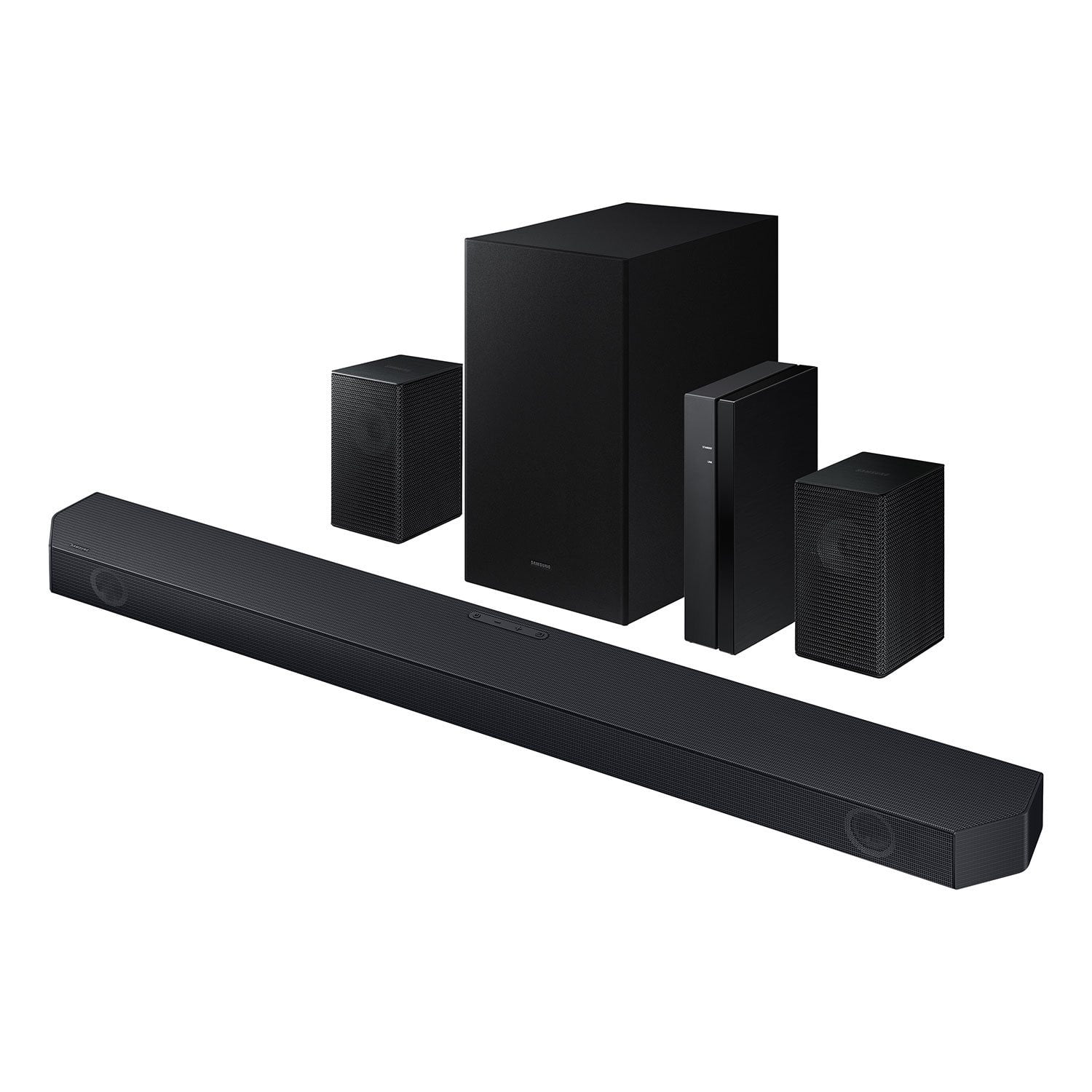
SAMSUNG Q-series 5.1 Channel Sound Bar with Wireless Subwoofer, Q-Symphony & Dolby ATMOS Audio
4.5 out of 5 stars
stars
499 ratings380 reviews
  1. 5 stars75% (374)
  2. 4 stars14% (72)
  3. 3 stars5% (24)
  4. 2 stars1% (6)
  5. 1 star5% (23)

Member photos

  • +48 images
Sort by |
Showing 21-30 of 380 reviews
Mar 26, 2026
Reviewer name: Joel
4 out of 5 stars
4 out of 5 stars review

Verified Purchase

limited sound control

sound is much bettrr than the single bar but the sound control leaves something to be desired. I prefer a full blown EQ, and balance controls.

Helpful?3195MT0SA8FL13599821582
Nov 14, 2024
Reviewer name: Don
5 out of 5 stars
5 out of 5 stars review

Verified Purchase

Samsung Sounbar

Really helped my 95-year-old mother hear and understand dialogue better. Worth the money in my opinion.

Helpful?3195MT0SA8FL13599821582
Jan 15, 2025
Reviewer name: Jeff
3 out of 5 stars
3 out of 5 stars review

Verified Purchase

Not worth the money

It's ok but the TV it self is louder on 50% then sound bar on highest the booms are not that good I just use the tv more very unsatisfied!

Helpful?3195MT0SA8FL13599821582
reply from Samsung

Hi Jeff,We appreciate you taking a moment to review the Samsung HW-Q65C Soundbar.You can adjust the Treble and Bass by pressing the TONE CONTROL button then use the UP/DOWN buttons to change the levels between -6 to +6.By pressing the CH LEVEL button, you can adjust the volume of the available channels. Each time you press the CH LEVEL button it will switch to a different channel such as Center, Front Top, or Rear Level. After selecting the channel you wish to adjust, use the UP/DOWN buttons on the provided Soundbar remote to adjust the volume between -6 to +6. If you would like louder (or softer) bass from your subwoofer, you can adjust the level by rocking the WOOFER button on the soundbar remote, and then adjusting the level from -6 to +6. To set the subwoofer volume level to 0, press the button in.With the sound mode set to Standard, press and hold the Sound Control button for about 5 seconds to adjust the sound for each frequency band for precise audio adjustments. 150Hz, 300Hz, 600Hz, 1.2kHz, 2.5kHz, 5kHz, and 10kHz are selectable using the Left/Right buttons and each can be adjusted to a setting between -6 to +6 using the Up/Down buttons.If you need more help, Samsung is here for you. Please call us at 1-800-SAMSUNG, 8AM - 12AM EST (Ask for Soundbars), 7 days a week. Our Live Chat agents are also available by clicking on the ‘Support’ link on our website.~ Samsung Solutions

Feb 6, 2025
Reviewer name: John
5 out of 5 stars
5 out of 5 stars review

Verified Purchase

Satisfied

Easy to set up. Good sound with minimal wiring. Would have liked to have more adjustment for balance and equalization.

Helpful?3195MT0SA8FL13599821582
Mar 7, 2026
Reviewer name: Bob
5 out of 5 stars
5 out of 5 stars review

Verified Purchase

Samsung Q soundbar

Very good sound. Easy to connect. Works excellent with Samsung smart TV. Highly recommend unless you are looking for a high end system.

Helpful?3195MT0SA8FL13599821582
Aug 1, 2026
Reviewer name: Doomstang
5 out of 5 stars
5 out of 5 stars review

Great sound

[This review was collected as part of a promotion.] The sound bar replaced my old Vizio system and it's a noticeable upgrade. It was easy to setup and I love that it integrated with my Samsung TV for Q Symphony

Review from Samsung US
Helpful?3195MT0SA8FL13599821582
Jul 25, 2026
Reviewer name: Sober1
5 out of 5 stars
5 out of 5 stars review

Great buy! Amazing sound.

[This review was collected as part of a promotion.] Amazing like a soundstage, dialogue is amazingly clear, it's a great Buy and it's synchronizes great immersion is awesome and the song is good direction.

Review from Samsung US
Helpful?3195MT0SA8FL13599821582
Aug 22, 2026
Reviewer name: anonymous
5 out of 5 stars
5 out of 5 stars review

New Sound Bar

Set up went well. Instructions could have been better. We chose this one because we have a Samsung TV. It paired well and is working well with our TV.

Helpful?3195MT0SA8FL13599821582
May 20, 2026
Reviewer name: anonymous
5 out of 5 stars
5 out of 5 stars review

Great sound and easy Integration with Samsung

I purchase this to replace a generic sound bar that was ok, but didn’t have the depth and surround sound feeling. I have a Samsung TV so the installation was a breeze. It connected to the TV as soon as I plug it. Used The HDML ARC for sound and it reach and gives true movie or game experience. The TV integrated with the soundbar and used both the tv speaker and this system to give a surround effect. Really cool.

Helpful?3195MT0SA8FL13599821582
May 18, 2026
Reviewer name: ErinBee
5 out of 5 stars
5 out of 5 stars review

Great sound!

[This review was collected as part of a promotion.] Sound is really good and clear, the immersion is great, especially when it's turned up, synchronization was easy, probably even moreso between all my Samsung products, seamless and so easy to install.

Review from Samsung US
Helpful?3195MT0SA8FL13599821582